Stakeholder Analysis Framework Template for PowerPoint & Google Slides
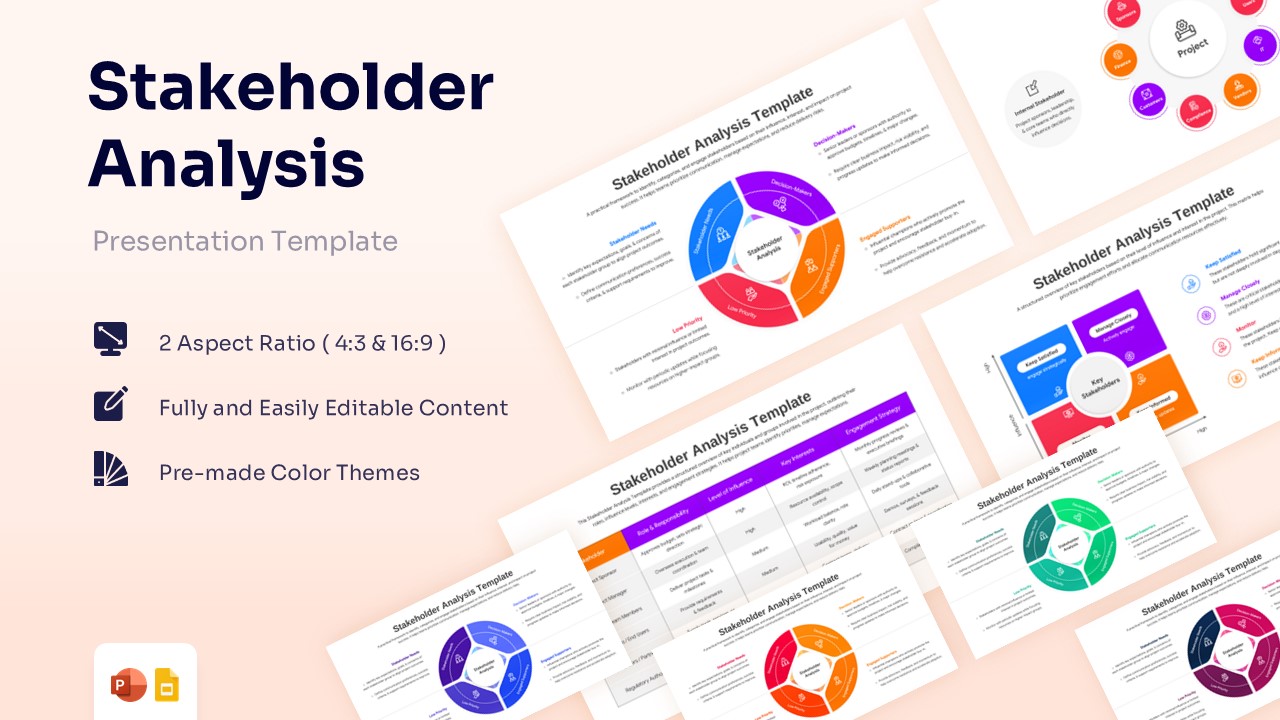
Effective Stakeholder Mapping and Engagement Strategy Presentation Template
Download this Stakeholder Analysis Framework Template for PowerPoint and Google Slides to effectively map out and manage everyone involved in your project. This professional process diagram helps you identify key individuals, assess their levels of influence, and determine the best engagement strategies. Whether you are leading a corporate initiative or a small team project, these visuals ensure you maintain clear communication with decision-makers and supporters alike, helping you navigate complex organizational landscapes with confidence and ease.
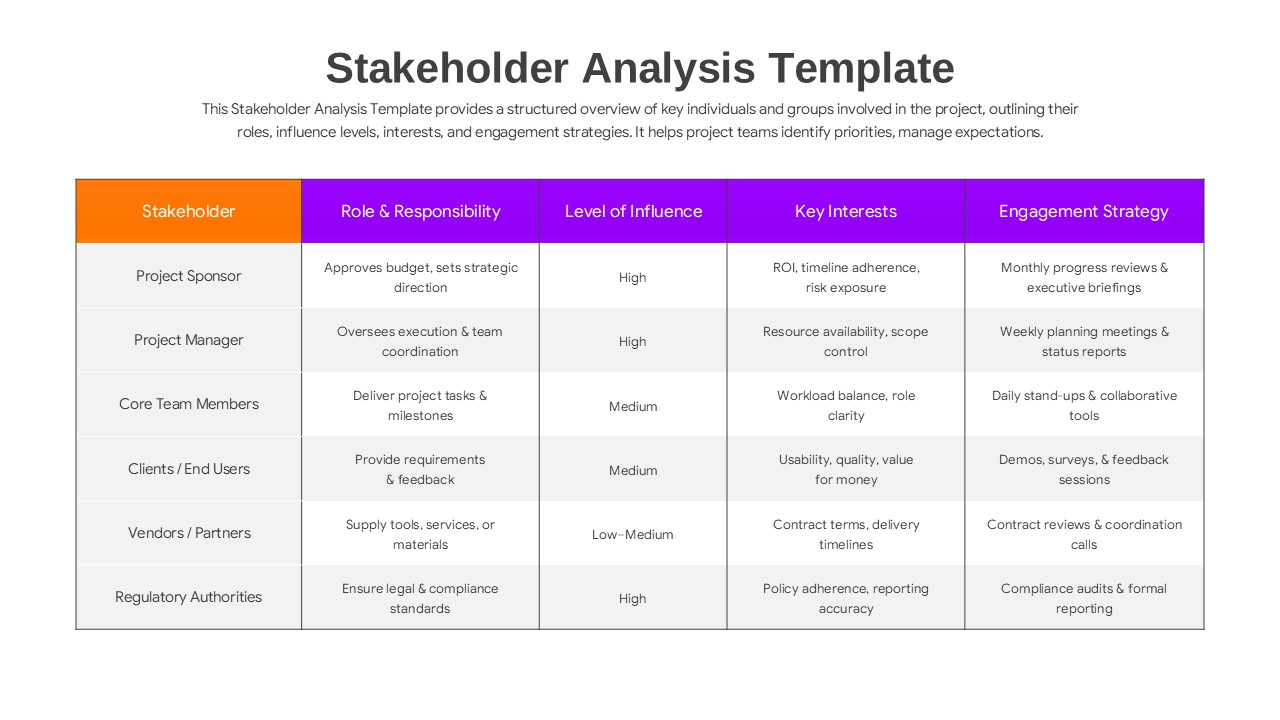
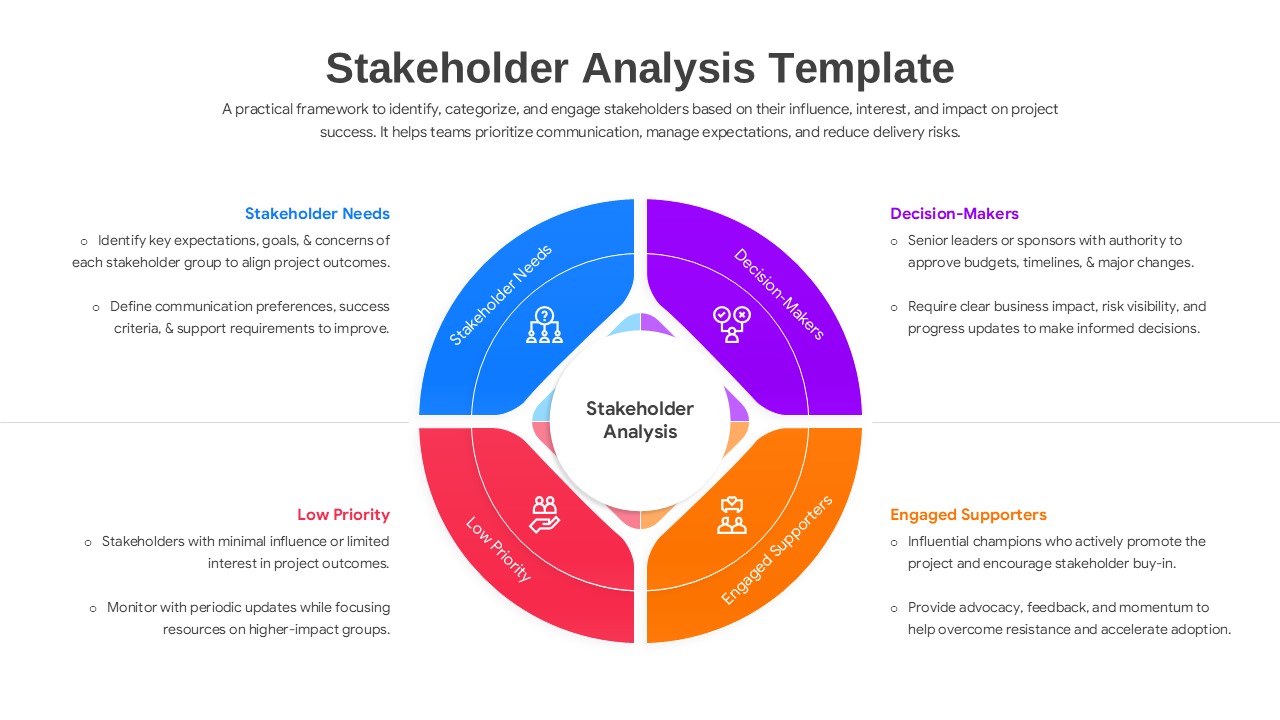
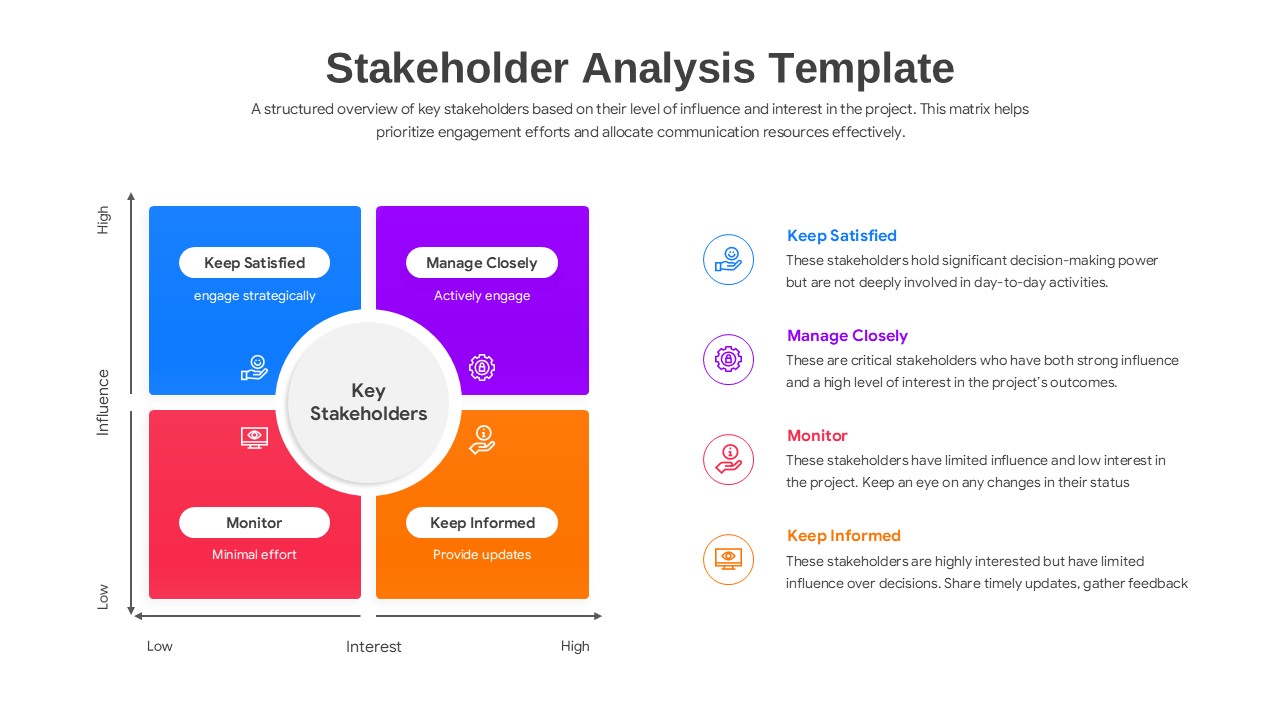
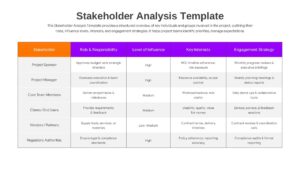
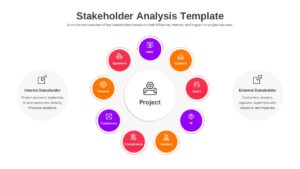
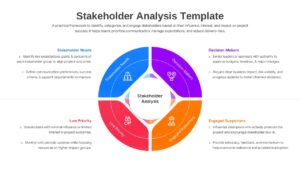
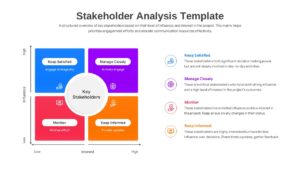
This Stakeholder Analysis Infographics features several high-quality layouts, including a detailed stakeholder power-interest matrix, a circular classification diagram, and a comprehensive engagement table. By using these slides, you can categorize stakeholders into groups like “Manage Closely,” “Keep Satisfied,” “Monitor,” and “Keep Informed.” The clean design and structured hierarchy allow your audience to understand project dynamics instantly, making it a reliable tool for project managers and consultants who need to demonstrate professional oversight.
Beyond basic identification, these slides serve as a strategic roadmap for long-term relationship management. You can use the project stakeholder mapping slides for risk assessment, resource allocation, and communication planning during executive briefings or team workshops. The organized tables help you document specific roles, responsibilities, and key interests, ensuring that no critical voice is overlooked. It’s designed to save you hours of formatting time while delivering a polished, board-ready presentation.
Why Use this Stakeholder Mapping Template
- Provides a structured framework for Stakeholder Mapping to ensure project alignment.
- Enhances Project Communication by defining clear engagement strategies for different groups.
- Simplifies complex data into a Power-Interest Matrix that is easy for executives to digest.
- Improves Project Management efficiency by identifying potential risks and influential supporters early.
- Professional and clean aesthetic helps you Present like a pro without design experience.
Who Should Download this Stakeholder Mapping Diagram
- Team Leads organizing workshops to align core team members and vendors on project goals.
- Project Managers needing to track influence and interest levels across various departments.
- Business Analysts conducting impact assessments for new software or process rollouts.
- Consultants and Strategists preparing stakeholder engagement plans for client presentations.
- Corporate Leaders who need to visualize internal and external project dependencies clearly.
Key Features
- 100% Vector-Based Graphics
- Fully Layered & Organized
- Multi-Platform Support
- Theme Color & Theme Font
- Easily Editable Content
Frequently Asked Questions
- How do I categorize stakeholders using this template?
- You can use the 2x2 matrix slide to plot individuals based on their influence and interest. Simply move the icons or text boxes into the relevant quadrant, such as \"Manage Closely\" for high-influence, high-interest groups.
- Can I change the colors to match my brand?
- Yes, the template is fully editable. You can update the theme colors and fonts within PowerPoint or Google Slides to align with your company’s branding in just a few clicks.
- Is this template suitable for both internal and external analysis?
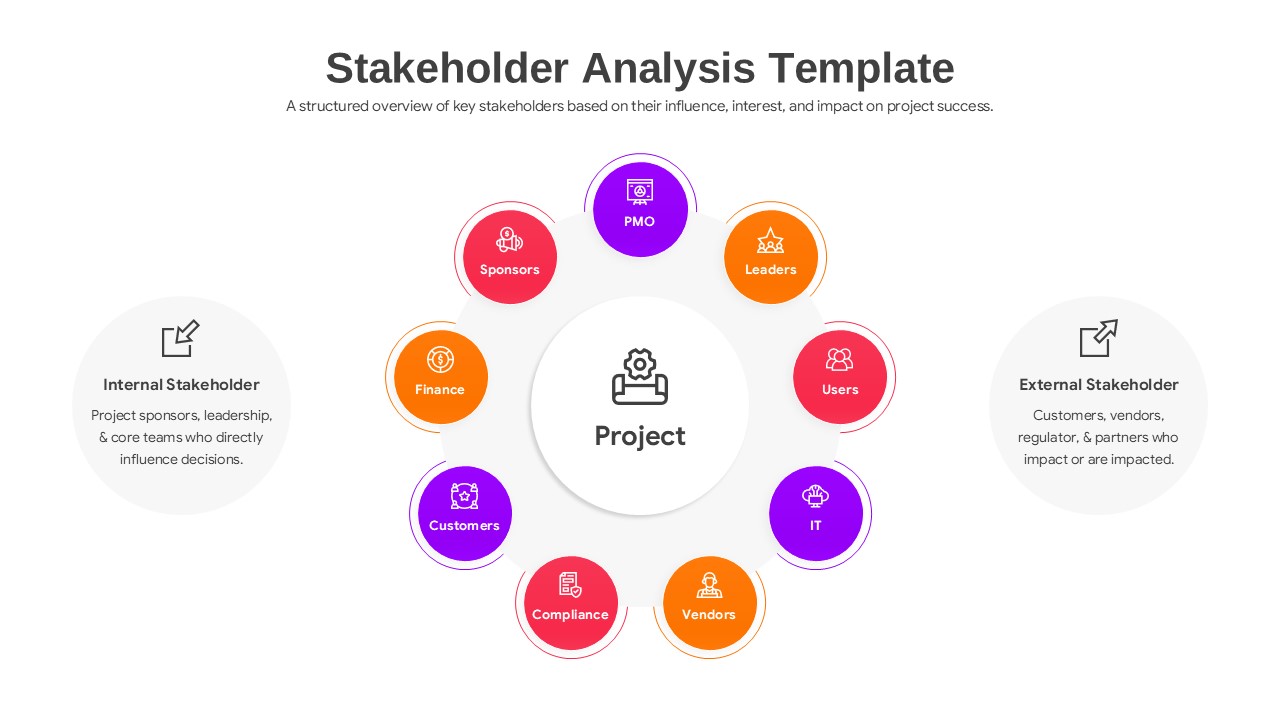
- Absolutely. The circular diagram specifically includes segments for both internal stakeholders (like sponsors and PMOs) and external stakeholders (like vendors and regulators).
Related Templates
-
-
 $3.99
$3.99 -
 $4.99
$4.99 -