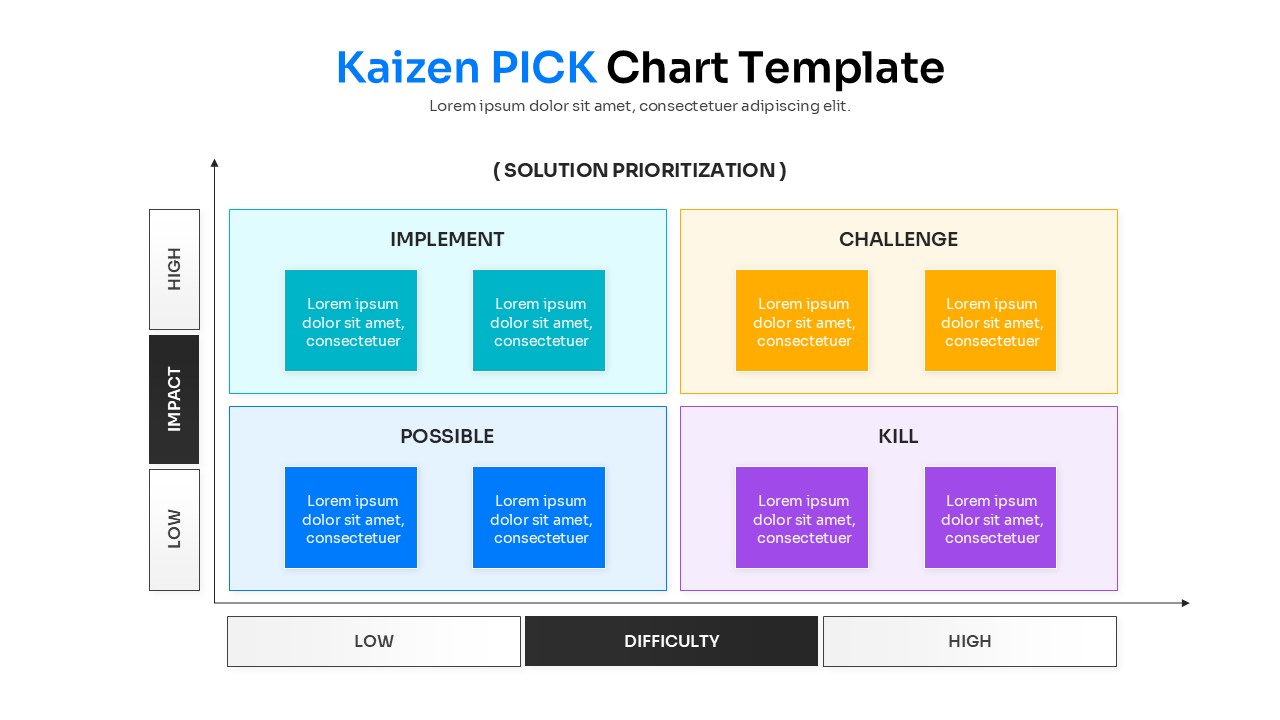
KAIZEN Pick Chart Template
This template is part of a deck featuring multiple slides. To check out all slides.
See All
Project Prioritization Matrix Presentation Template
Download this Kaizen PICK Chart Template to streamline your decision-making process and prioritize tasks effectively. This layout is ideal for project managers and teams who need to sort ideas based on impact and difficulty. By clearly mapping out what to implement immediately versus what to discard, you ensure your resources go toward high-value activities.
This KAIZEN Chart Infographic features a clean 2x2 matrix divided into four actionable quadrants: Implement, Challenge, Possible, and Kill. The design mimics a workshop whiteboard with sticky note graphics, making it feel collaborative and engaging. All elements, including the vector-based graphics and text placeholders, are fully editable, allowing you to customize the color themes and categories to match your brand or methodology.
Use these business presentation templates for Lean Six Sigma workshops, Agile sprint planning, or strategic business reviews. It serves as an excellent tool for filtering brainstorming results, validating project proposals, and presenting a clear roadmap to stakeholders. Whether you are identifying "Quick Wins" or weeding out low-value projects, this visual aid keeps the conversation focused and productive.
Why use this KAIZEN Pick Chart Template
- Clarifies task prioritization with a visual Impact vs Difficulty grid.
- Helps teams quickly identify high-value, low-effort "Quick Wins".
- Reduces meeting time by organizing scattered ideas into a structured format.
- Provides a professional, polished look for strategy decks without design effort.
Who Should Download this KAIZEN Pick Chart Diagram
- Project Managers and Team Leaders facilitating planning sessions.
- Lean Six Sigma practitioners and Agile Coaches.
- Business Consultants presenting strategic recommendations.
- Operations Managers looking to optimize workflows.