
Table of Contents
What is a Sales Presentation? The Ultimate Guide to Create Perfect Sales Presentation That Close Deals




How to Create a Sales Presentation – Improve your Sales Presentation
Did you know that 41% of decision-makers admit to multitasking or losing focus during a sales pitch? In today’s competitive market, you have less than seven seconds to grab a prospect’s attention before they mentally check out. If your slides are cluttered or your narrative is weak, you aren’t just losing their attention—you are losing the deal.
So, what is a sales presentation? Simply put, a sales presentation is a visual pitch designed to persuade a prospective client to purchase a product or service. Unlike a general company overview, a successful sales deck is a targeted narrative that identifies a customer’s specific pain points, establishes trust, and offers a clear, actionable solution.
However, crafting a persuasive deck is often the most stressful part of the sales process. Staring at a blank white slide, struggling with layout alignment, and trying to visualize data can drain hours of valuable selling time. But you don’t need to be a graphic designer to win clients. By mastering a proven narrative structure and leveraging professional tools—like WinSlides’ pre-designed templates—you can create high-converting presentations in minutes, not days.
What is a Sales Presentation? (And Why It Matters)
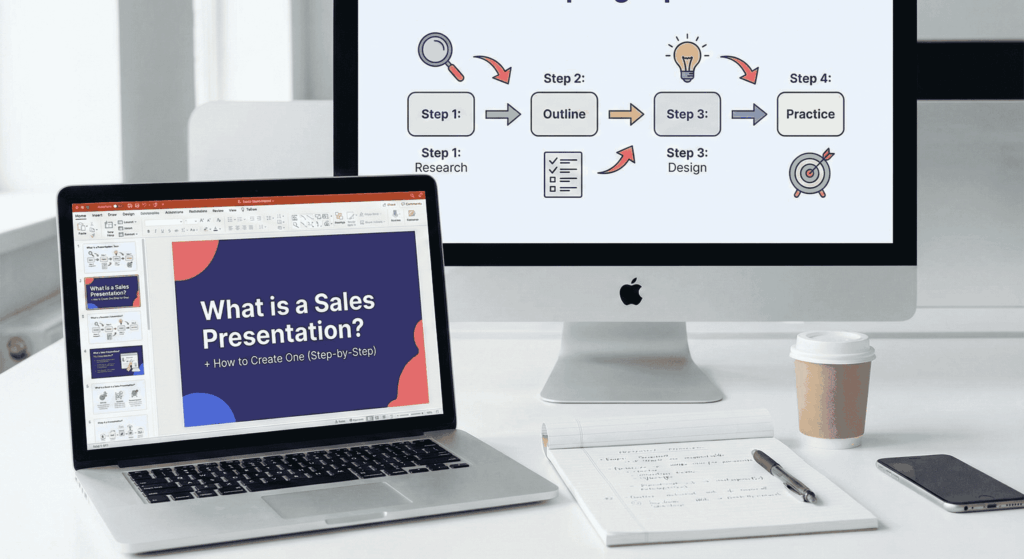
While the definition seems simple, the implication of a sales presentation goes far beyond just showing slides to a client. It is the pivotal moment where interest turns into action. A well-crafted presentation acts as a bridge: it takes the prospect from a state of uncertainty (“Do I need this?”) to a state of confidence (“I need this now”).
However, many professionals struggle because they confuse a sales presentation with other types of business decks, leading to a confused message.
The Difference Between a Pitch Deck and a Sales Presentation
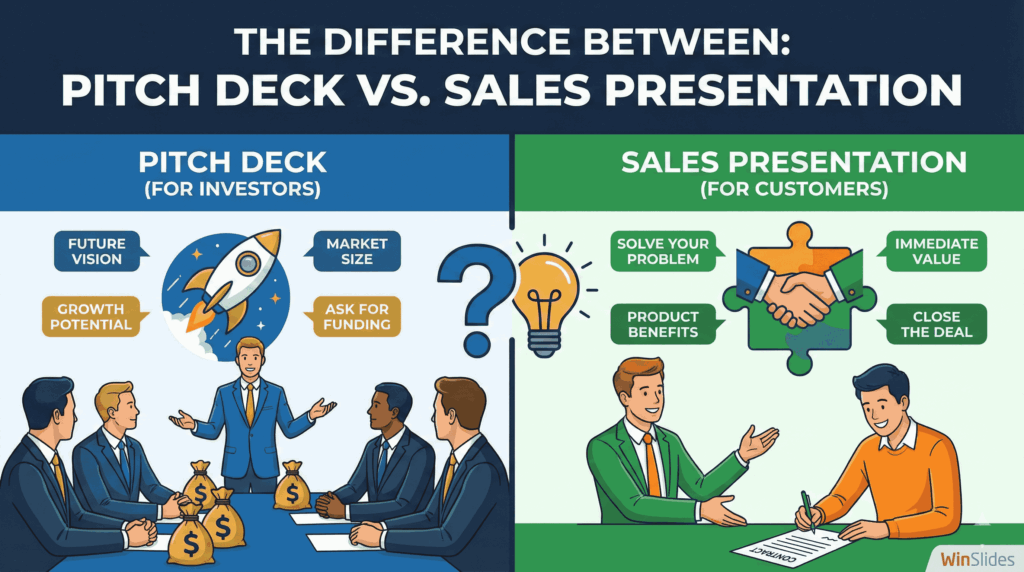
In the business world, the terms “pitch deck” and “sales presentation” are often used interchangeably, but they serve two very different masters. Understanding this distinction is crucial for structuring your content correctly.
- A Pitch Deck is for Investors: The goal of a pitch deck is to sell equity. You are pitching the vision of the company, the team, the market size, and the future return on investment (ROI). Your audience is Venture Capitalists (VCs) or Angel Investors who want to know if your business will scale.
- A Sales Presentation is for Customers: The goal of a sales presentation is to sell a product or service. You are pitching a solution to a specific problem. Your audience is a potential client or user who wants to know how your product will make their life easier or their business more profitable today.
Key Takeaway: Don’t clutter your sales deck with your company’s 10-year roadmap or board of directors slide. Your customer cares about their problem, not your internal milestones.
The Core Purpose of a Sales Deck
If your presentation is just a list of product features, you are doing it wrong. Features tell, but stories sell. The core purpose of a high-converting sales deck is to guide the narrative through three critical stages:
- Building Trust (Credibility): Before a prospect buys your product, they must buy you. Your deck needs to establish authority immediately. This is often done through social proof (logos of past clients), case studies, or relevant industry data.
- Pro Tip: A poorly designed, cluttered slide deck instantly erodes trust. Using a clean, professional layout (like those found in WinSlides) signals competence and attention to detail before you even speak.
- Identifying Pain Points (Empathy): You must show the client that you understand their specific challenges. A great sales deck spends the first few slides validating the prospect’s struggle. When the client sees their own problems reflected on the screen, they feel understood and lower their defenses.
- Offering a Clear Solution (The Bridge): Once trust is built and the problem is defined, your product is revealed as the “hero” of the story. Your presentation shouldn’t just list what the product is, but specifically how it solves the pain points you just identified.
Essential Elements of a High-Converting Sales Presentation
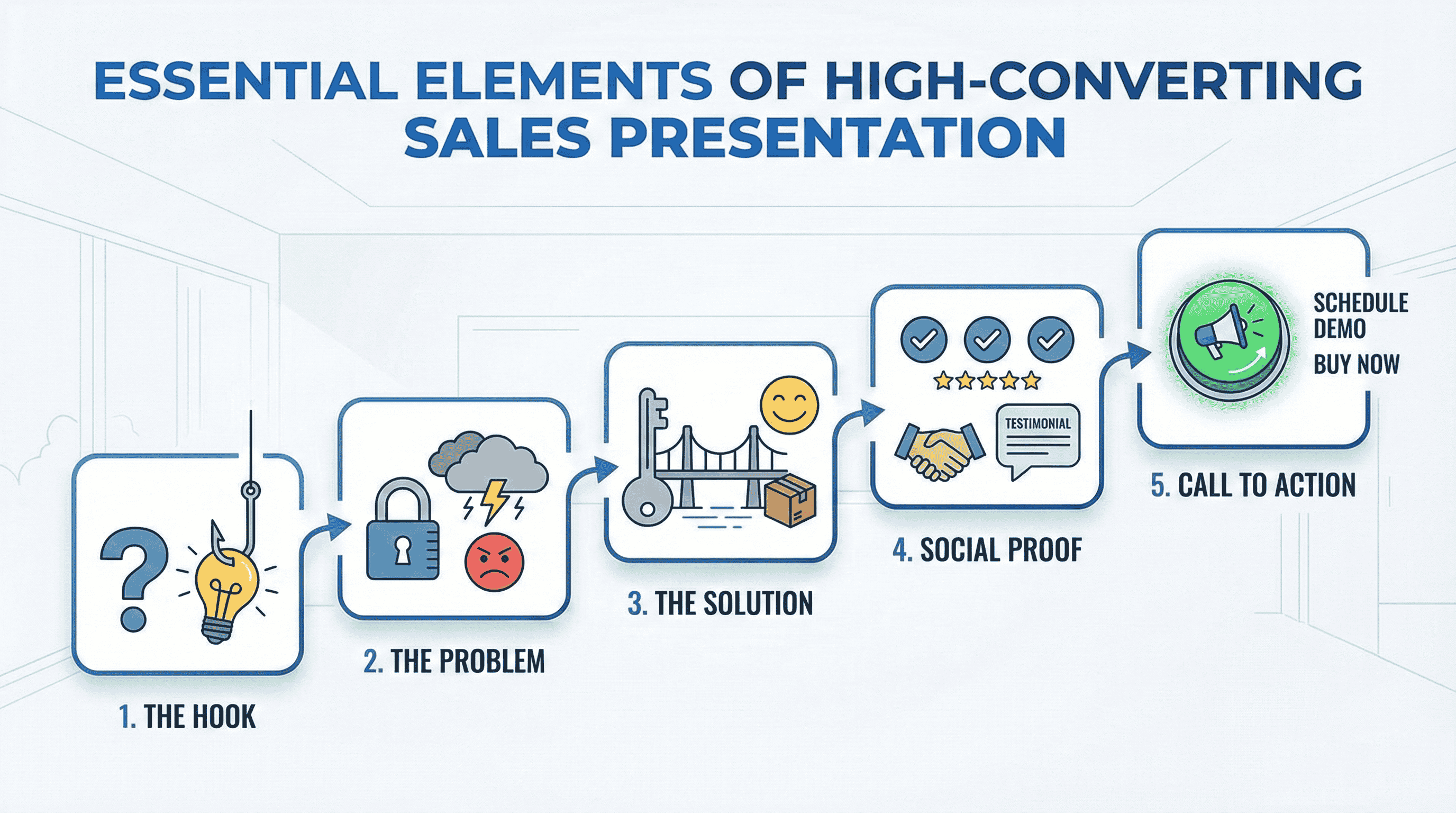
A great sales deck isn’t just a collection of slides; it is a carefully engineered argument. Whether you are selling software, consulting services, or physical products, every high-converting deck shares the same DNA. To turn prospects into partners, your presentation must include these five specific elements.
1. The “Hook” Slide
Most presenters make the fatal mistake of starting with an “About Us” slide. Don’t do this. Your prospect doesn’t care about your company history yet; they care about themselves.
Start with a “Hook”—a slide designed to break their preoccupation and grab attention immediately.
- The Shocking Statistic: “Did you know 60% of manufacturing costs are wasted on…”
- The Provocative Question: “What would happen to your revenue if your website went down for 24 hours?”
- The Narrative Shift: “The way we buy software has changed forever. Here is why…”
2. The Problem Statement (The Villain)
Once you have their attention, introduce the “Villain” of the story: the problem they are currently facing. This section should act as a mirror. Describe their pain points so accurately that they find themselves nodding in agreement. If you can articulate their problem better than they can, they will automatically credit you with having the solution.
- Tip: Use visual metaphors here. Instead of a bulleted list of issues, use a WinSlides infographic template to visually depict the chaos or revenue loss caused by the current situation.
3. Your Value Proposition (The Solution)
Now that the tension is high, introduce your product as the resolution. This is not the place for a spec sheet. This is where you present your Value Proposition. Focus on the “After State”:
- Before: Manual data entry, high error rates, frustrated staff.
- After (With Your Product): Automated workflows, 100% accuracy, happy team. Your slide should bridge the gap between where they are (The Problem) and where they want to be (The Solution).
4. Social Proof and Case Studies
In the era of skepticism, claims mean nothing without proof. This section answers the silent question in your prospect’s head: “Has this actually worked for anyone else?” To build instant credibility, include:
- Client Logos: A “Wall of Love” slide showing brands you work with.
- Testimonials: Short, punchy quotes focusing on results.
- Data-Driven Case Studies: “How Company X saved $50k in 3 months using our tool.”
5. The Call to Action (CTA)
Never end a presentation with a slide that just says “Thank You” or “Q&A.” This is a wasted opportunity. Your final slide must be a Call to Action (CTA). It should dictate the specific next step you want the prospect to take.
- Weak CTA: “Let us know what you think.”
- Strong CTA: “Let’s schedule a 15-minute onboarding call for next Tuesday.”
- Strong CTA: “Sign up for the trial using this QR code.”
How to Create a Sales Presentation in 5 Steps
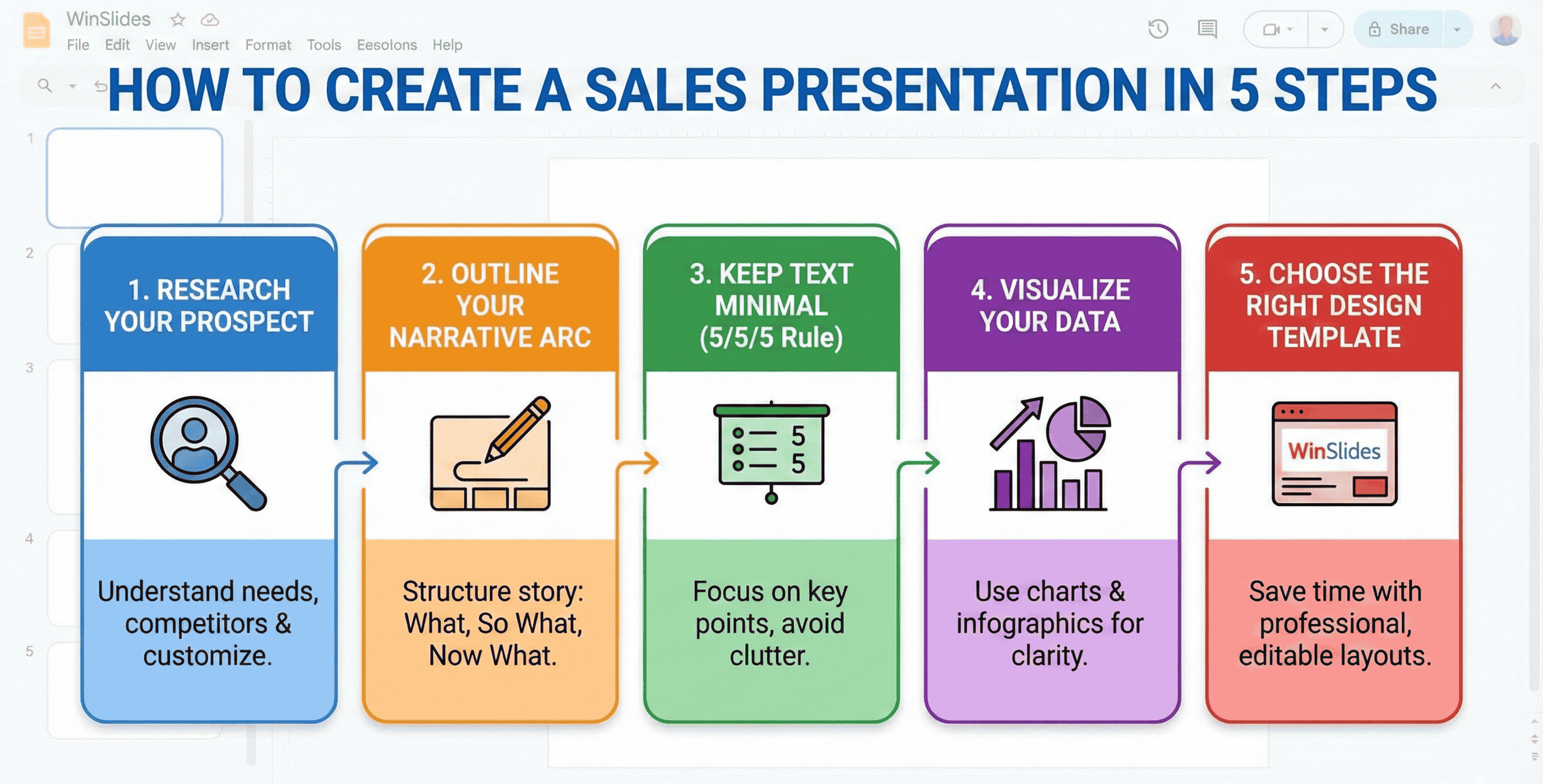
Knowing what goes into a deck is important, but the creation process is where most sales professionals get stuck. Many waste hours tweaking fonts or staring at a blank screen. To streamline your workflow and build a deck that converts, follow this five-step framework.
Step 1: Research Your Prospect (Don’t Copy-Paste)
The quickest way to lose a deal is to present a generic, “cookie-cutter” deck. Before you open your presentation software, spend 15 minutes researching your prospect.
- Check their News: Have they recently merged? Launched a product? Faced a PR crisis?
- Audit their Competitors: Who are they fighting against in the market?
- Customize the Cover: Simply adding the client’s logo and using their brand colors on the title slide creates an immediate psychological connection.
Step 2: Outline Your Narrative Arc
Resist the urge to start designing immediately. Start with a pen and paper. Outline your story arc to ensure the flow is logical. A common, effective structure is the “What, So What, Now What” model:
- What: What is the current situation/problem?
- So What: Why does this problem matter? (The cost of inaction).
- Now What: How do we fix it together? (Your solution).
Step 3: Keep Text Minimal (The 5/5/5 Rule)
Your slides are there to support you, not to replace you. If a client is reading a wall of text on the screen, they aren’t listening to you. To keep your slides clean, apply the 5/5/5 Rule:
- No more than 5 words per line of text.
- No more than 5 lines of text per slide.
- No more than 5 text-heavy slides in a row.
Step 4: Visualize Your Data
Data builds trust, but raw spreadsheets cause confusion. A confused mind says “no.” Instead of dumping a table of numbers onto a slide, use data visualization to tell a story.
- Use Bar Charts to compare growth.
- Use Pie Charts to show market share.
- Use Infographics to explain complex processes.
Pro Tip: Designing complex data charts from scratch can take hours. Using a tool like WinSlides allows you to simply drag and drop your data into pre-made Infographic Templates, instantly turning boring numbers into compelling visuals.
Step 5: Choose the Right Design Template (Save Time)
The design of your presentation reflects the quality of your product. A sloppy, misaligned deck suggests a sloppy, disorganized company. However, you are a sales professional, not a graphic designer.
Don’t waste valuable selling time trying to align text boxes or pick color palettes.
- The Smart Solution: Start with a high-quality, pre-designed template. This ensures your fonts, colors, and layouts are consistent from slide #1 to the end.
- WinSlides Advantage: With the WinSlides Sales Deck Collection, you get access to SEO-friendly, fully editable slides designed specifically for pitch scenarios. You simply download the template, swap in your text, and you are ready to present in half the time.
Top Sales Presentation Templates for Great Sales Presentation
There is no “one size fits all” in sales. The structure of your deck should match your industry and your selling style. Here are two of the most effective styles of sales presentations, along with the templates you need to build them.
1. Team Meeting Agenda Template
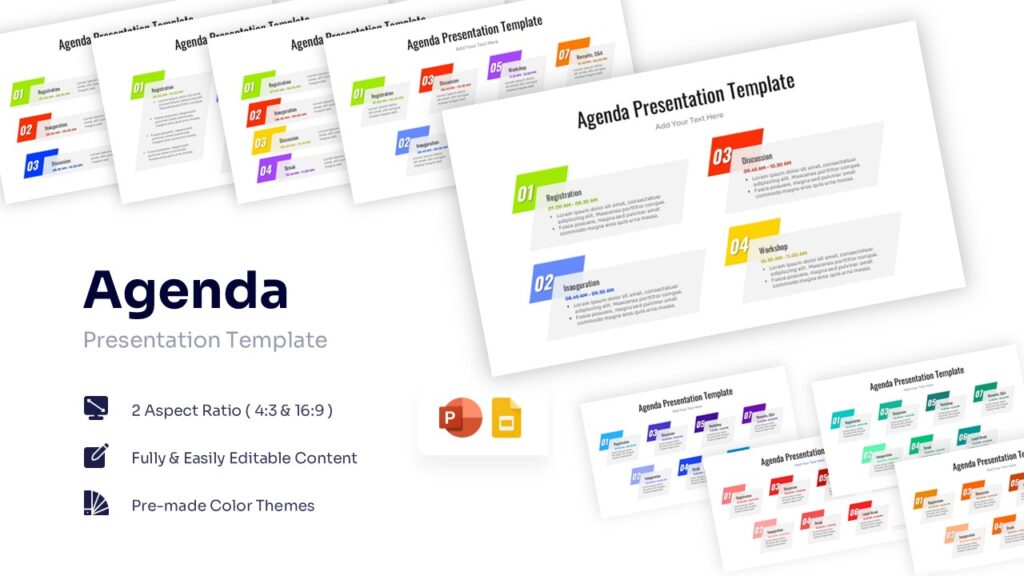
View: Modern Agenda Template
A successful pitch is rarely a solo act. Before you step into the boardroom, you need to align your internal team. Use the WinSlides Team Meeting Agenda to run effective pre-pitch alignment meetings or weekly sales pipeline reviews. It ensures every team member knows their role, the client’s background, and the key objectives before the presentation begins.
2. To Do List Template
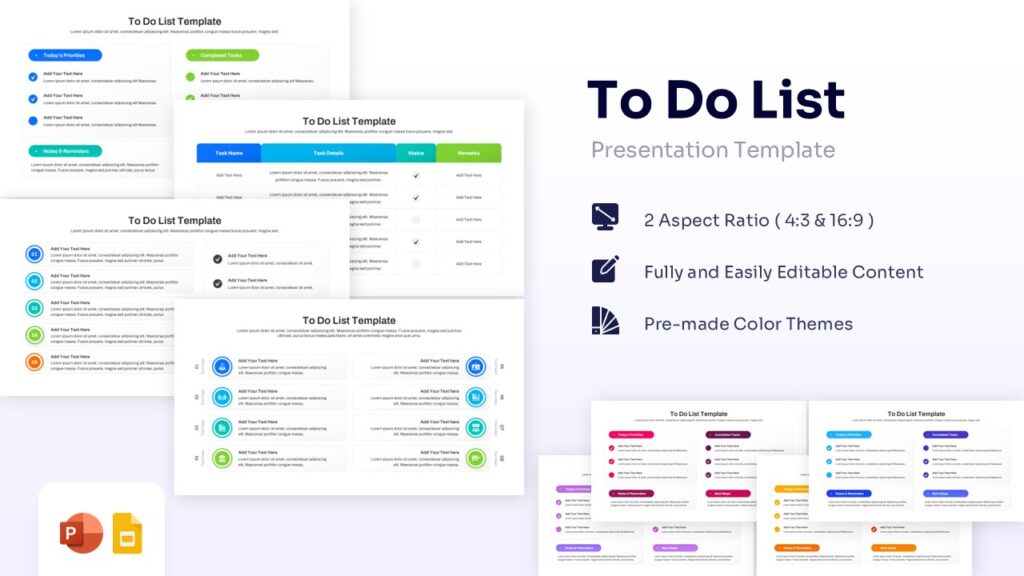
View: To Do List Presentation Template
Creating a high-stakes presentation involves dozens of moving parts—research, drafting script, designing slides, and rehearsing. Don’t let a crucial detail slip through the cracks. The WinSlides To Do List Template helps you organize your workflow, set deadlines for specific slides, and track your follow-up tasks after the meeting is over.
3. Customer Journey Status Infographics – Sales Process Template
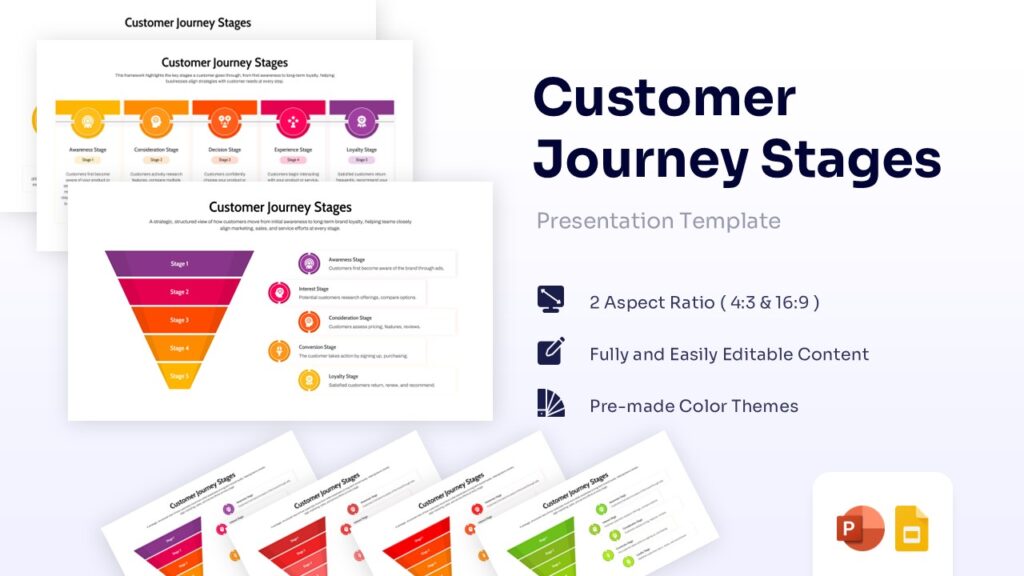
View: Customer Journey Stages
Clients need to see where they are going. A wall of text won’t convince them, but a roadmap will. Instead of explaining the process, show it. Use the Customer Journey Status Infographics to visually map out the prospect’s current pain points and the road to success with your product. This visual approach makes your solution feel like the natural, inevitable next step.
4. Business Strategy Templates
- Why you need it: Sometimes you need deep strategic frameworks to back up your claims and prove your market knowledge.
- The Collection: If you are building a data-heavy pitch, browse our comprehensive Business Strategy Category. You will find ready-to-use infographics for every major strategic model, including:
- SWOT Analysis: To highlight your competitive advantage.
- TAM SAM SOM: To visualize market size and potential.
- AIDA Model: To showcase your marketing funnel strategy.
Conclusion
So, what is a sales presentation? It is more than just a visual aid; it is your most powerful closing tool. It bridges the gap between your client’s problem and your unique solution.
Creating a deck from scratch can be daunting, but remember: you don’t need to be a graphic designer to close deals. By following a clear narrative structure, focusing on the client’s pain points, and utilizing professional resources, you can build a presentation that converts.
Ready to create your next winning deck? Don’t let bad design cost you a sale. Browse our extensive collection of SEO-friendly, high-converting presentation templates at WinSlides today and turn your next pitch into a partnership.
Related Blogs
-

How to Write an Elevator Pitch: The Ultimate Step-by-Step Guide
Creative elevator pitch examples for every scenario The average human attention span is now reportedly less than that of a goldfish—about 8 seconds. In a world of endless distractions, like Instagram reels, YouTube shorts, you don’t have time for long introductions. You need to hook your audience immediately, whether you are in a networking meeting,…
-

10 Proven Public Speaking Tips to Crush Your Next Presentation
The Ultimate Guide to Become a Better Public Speaker We often look at leaders like Steve Jobs or Brené Brown and think, “I could never speak like them.” This is the biggest myth. Public speaking isn’t a talent; it is a muscle. Like any muscle, it can be strengthened with the right exercises. The difference…